
It started with a cat named FoFo
One day my niece Daria and I took her wonderful cat Peluchin to a lovely veterinary clinic. Don't worry - Peluchin is perfectly fine!
At the clinic, we were greeted by a beautiful cat named FoFo. I couldn't resist taking a photo. We visited that clinic several times (Daria has two cats), and each time I photographed the wonderful FoFo.
One weekend I downloaded all the photos to my computer, into a single folder. And I needed to write down the story: where these photos came from, who this cat was, a few notes about the visits.
I tried creating a text file. But it felt wrong - it got lost among the photos, it wasn't clear what it was for, and a month later I'd probably forget it existed.
Right at that moment, an idea struck me: what if folders could have stickers? Like sticky notes on a box. Notes for folders - ForFolders.
And that's how 4Fo was born.
Oh, and here's that lovely white cat. Meet FoFo!

You know this feeling
You have a folder. Maybe it's a project, a client, a trip you're planning, a course you're taking. Inside - files. Documents, images, whatever.
You open it a month later and think:
- What was this about?
- What did I decide?
- What's the next step?
- Why did I keep this file?
The context is gone. It was in your head, in some chat, in an email you'll never find again.
A tiny file that remembers everything
4Fo adds one small file to your folder - 4.fo. Think of it like a sticky note on a box, or a chat with yourself about this folder.
├── 📋 4.fo ← your context lives here
├── contract.pdf
├── notes.md
└── assets/
Open it and you see your notes, voice memos, screenshots, links - everything that explains what this folder is about.
Text notes - "Client wants changes by Friday"
Voice memos - quick thoughts while you work
Screenshots - references, mockups, inspiration
File links - point to related files anywhere
Web links - save URLs with context
Folder snapshot - list of files at this moment
Move the folder - stickers go with it. Copy to USB, send to a colleague, backup to cloud. Everything stays together.
No database. No account. No subscription. Just a file.
How to use it
Three ways to add a sticker board to any folder:
Quick Action - Run "Install Quick Action.app" once. Then right-click any folder → Quick Actions → New Sticker Board.
From the app - Open 4Fo → File → New (⌘N) → Save to your folder.
Manually - Create an empty file named 4.fo in any folder. Double-click to open.
App won't open?
macOS blocks apps from developers who don't pay Apple $100/year. I don't. To open:
- Try to open 4Fo.app (it will be blocked)
- Go to System Settings → Privacy & Security
- Scroll down to Security - you'll see "4Fo.app was blocked"
- Click Open Anyway
You only need to do this once.
Screenshots
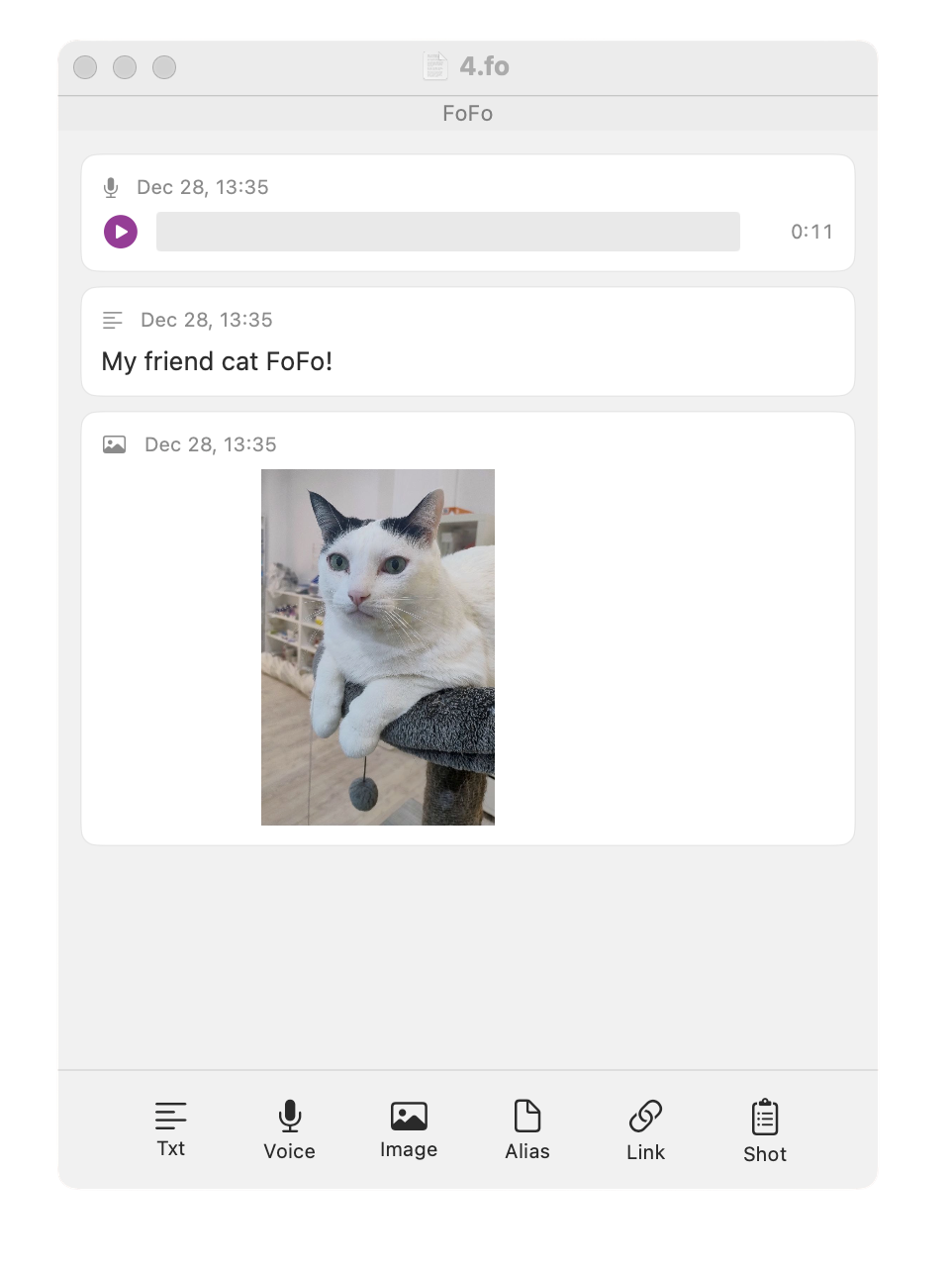
This is the first version. Some things might not work perfectly yet - that's okay! If you have ideas, suggestions, or just want to say hi, drop me a line at info@kalba.dev
- Grigory, Kalba Lab